
44% of marketing professionals rank email as their most effective channel, ahead of social media and paid search at 16% each.
For any business, emails have been a part of their successful journey. A way of interaction that has the capability of converting any prospects into loyal customers.
But, the effectiveness of it, depends on many factors. The important aspect is the kind of software you use for sending emails.
LC Email, also called LeadConnector Email, is an email service built right into the CRM.
It lets businesses send and receive emails without signing up for outside services like Mailgun or SendGrid. Everything works out of the box with little setup.
What is LC Email?
LC email lives inside your business platform. It has great deliverability so emails reach inboxes.
It includes error monitoring to catch problems before they get big. Even enforces strong compliance rules.
It costs less than other email services in the market. You get better results and email validation is part of the system.LC email checks if the email address can receive mail before you send anything. This smart tool sees if the address is deliverable and working.
The validation feature only works for LC Email and Mailgun users right now. But it’s a powerful way to keep your email list clean and healthy.
LC Email Pricing
One of the best parts about LC Email is the pricing. It costs $0.675 for 1000 emails on all plans. Compare that to Mailgun’s $0.80 per 1000 emails.
That might not sound like much difference. But when you’re sending thousands of emails every month, the savings add up fast. You could save hundreds or even thousands of dollars per year.
All incoming and outgoing emails count toward your total. This includes emails sent to regular recipients, CC, and BCC. Every single email is tracked and billed fairly.
You can see all charges at the agency level. Just go to Agency View, then Billing, then Credits. Everything is listed clearly so you know exactly what you’re paying for.
Email Verification Pricing
LC Email Verification is another money saver. It costs just $2.50 per 1000 verifications. Mailgun charges $12.00 per 1000 for the same thing.
That’s less than a quarter of the price. Email verification helps you avoid sending to bad addresses. It protects your sender reputation and improves deliverability.
This feature is rolling out now. It will be available to all users soon. When it launches, you’ll be able to verify your whole list for pennies.
Email Forwarding Costs
Email forwarding works just like regular emails. It costs the same $0.675 per 1000 emails. Each forwarded message gets charged at the agency level.
If you have re-billing turned on, the sub-account pays instead. This is great for agencies managing multiple clients. Each client covers their own costs automatically.
You can view all the details in your billing section. Go to Settings, then Billing, then Wallets & Transactions. Click on Detailed Transactions to see everything.
Many users have been asking about the Ramp-up model in LC system. Let’s understand that.
The Ramp-Up Model Explained
When you create a new sub-account, it follows a Ramp-Up Model. This is a smart system that protects your email reputation. It slowly raises your daily email limit over time.
Why does this matter? Email providers watch for spam very carefully. If a brand new account suddenly sends 10,000 emails, it looks suspicious.
The ramp-up model builds your sending reputation gradually.
Now this keeps you out of spam filters. It makes sure your emails land in the inbox.The daily counter resets exactly at midnight. If you hit your limit before midnight, the account locks until the next day.
This prevents you from SENDING TOO MUCH TOO FAST.
LeadConnector Ramp-Up Limits
In LeadConnector, your limits grow by the day number up to day 10. After that, you can send up to 15,000 emails per day. Here’s how it breaks down:
- Day 1: 100 emails
- Day 2: 200 emails
- Day 3: 300 emails
- Day 4: 400 emails
- Day 5: 500 emails
- Day 6: 600 emails
- Day 7: 700 emails
- Day 8: 800 emails
- Day 9: 900 emails
- Day 10 and beyond: 15,000 emails
HighLevel Ramp-Up Limits
In HighLevel, the ramp-up works a bit differently. It lasts for the first seven days only. After day 8, your limits depend on your IP type.
If you’re on a shared IP, you go from 250 emails to 15,000 emails per day. That’s plenty for most small and medium businesses. It lets you run solid email campaigns.
If you have a dedicated IP, the limits are much higher. You go from 250 emails to 450,000 emails per day. This is perfect for large agencies sending massive volumes.
To raise your shared IP limits, add a Dedicated Sending Domain. For dedicated IP increases, contact support directly. They’ll help you scale up safely.
How to Enable Email Validation
Turning on email validation is easy. Just go to your settings and toggle it on for LC Email. Once it’s active, all emails get checked automatically.
The system validates every email before sending. But it only checks addresses that haven’t been validated in the last 90 days. This saves time and keeps your list fresh.
If an email was validated recently, it skips the check. If it’s been more than 90 days, it re-validates. This makes sure old addresses are still good.
On a contact page, scroll right and click the envelope icon. This shows you the validation status. Green means the email is verified and good to go.
Yellow also means verified. Red means the address is invalid or bounced. You’ll see the exact error reason so you know what went wrong.
What Email Validation Checks
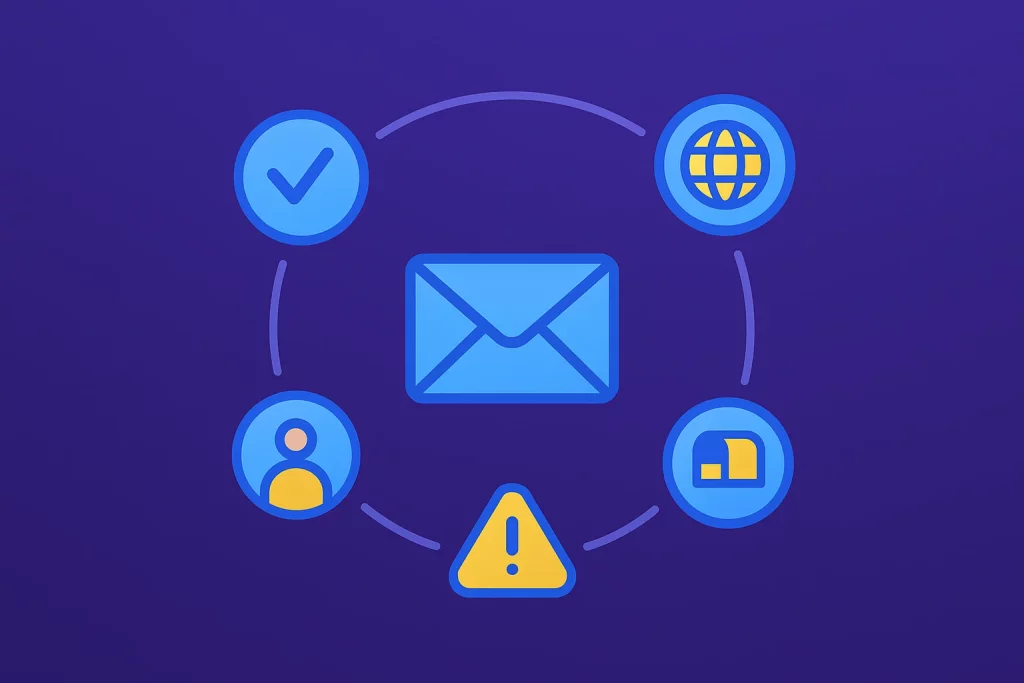
The validation tool checks several important things. First, it looks at the syntax to make sure the email is formatted correctly. No typos or missing symbols.
Next, it checks if the domain accepts email. Some domains don’t have email set up at all. The tool catches this before you waste a send.
It also verifies the specific address exists. Just because the domain works doesn’t mean that exact email is real. This step is critical.
The system flags high-risk addresses too. These might be temporary emails or known spam traps. Avoiding them protects your reputation.
Finally, it spots role-based emails like info@, admin@, or sales@. These addresses usually don’t get read by real people. They often have poor engagement rates.
Why Use Email Validation?
Email validation boosts your delivery rates by removing bad addresses. When you send to clean lists, more emails reach real inboxes. That means more people see your message.
It keeps your contact list clean and up to date. People change jobs and email addresses all the time. Validation catches these changes so you’re not sending to dead addresses.
Clean lists raise your open rates. They boost click-through rates too. Even your click-to-open ratios go up when you’re reaching real people who want your emails.
Most importantly, validation guards your sender reputation. This is like your credit score for email. A good reputation means your emails get delivered.
The Danger of Bounces
When emails bounce, it tells providers your list is low quality. This can even damage our IP and domain reputation permanently.
Once, the reputation is dropped, your emails may go to spam. Some might not deliver at all.
Rebuilding a damaged reputation takes months of careful work.
Validating ahead of time cuts bounces dramatically. You catch the bad addresses before they cause damage. Prevention is always easier than fixing problems later.
When to Validate Your List
Validate if you buy or get a new list from anywhere. Purchased lists often have tons of bad addresses mixed in. Validation cleans them up fast.
Also validate if your list is old. Email addresses go stale over time. A list that’s six months old probably has outdated contacts.
If your list has grown really big, validate it. Large lists accumulate errors naturally. A quick validation scan keeps everything healthy.
How to Migrate to LC Email
Switching to LC Email is straightforward. First, remove any SMTP or Mailgun settings from your sub-account. You can’t run both at the same time.
If you get stuck during removal, contact support. They’ll help you disconnect the old service safely. This usually takes just a few minutes.
For agencies, there’s a full guide on migrating. New accounts use LC Email by default. You don’t have to do anything special.
You can add third-party SMTP anytime if you need it. The system is flexible. But most users find they don’t need outside services anymore.
Existing accounts can switch smoothly too. The migration process is designed to avoid downtime. Your emails keep flowing the whole time.
Viewing Usage and Billing Clients
Tracking your email usage is important for budgeting. In sub-accounts, see your usage in Settings, then Phone, then Usage Summary. All your numbers are right there.
For agencies managing multiple clients, check usage differently. Go to Agency Settings, then Billing. Click See Details under Credits.
This shows you exactly how much each client is using. You can bill them accurately. No guessing or estimating needed.
On the Pro plan, you can re-bill clients automatically. The system charges them directly. This works with ISV programs too.
Because LC Email costs less, you make more profit. You pay $0.675 per 1000 but might charge clients more. The difference is your margin.
Impacts for Affiliates and Agencies
LC Email makes setup incredibly easy for new affiliates. They don’t need technical knowledge. They can start earning commissions from day one.
This helps new affiliates succeed faster. When success comes quick, they stick around longer. Higher retention means more stable income for agencies.
For agencies managing multiple clients, LC Email simplifies operations. You’re not juggling different email providers for each client. Everything runs through one system.
The cost savings add up across all your clients. If you manage 50 clients sending 10,000 emails per month each, you save thousands compared to other providers.
Support is built right in too. You’re not dealing with multiple support teams. One platform, one support system, one bill.
Centripe’s Email Features Beat LC Email
1. Send Emails Without Waiting
LC Email starts you at just 100 emails on day one. You have to wait 10 days to reach 15,000 emails per day.
Centripe gives you unlimited emails from day one. No waiting. No lockouts. Send as much as you need.
2. Everything in One Place
Centripe puts email, CRM, SMS, WhatsApp, and AI chat together. You see all customer info in one dashboard.
Check emails, calls, chats, and purchases in one spot. No jumping between different tools like LC Email.
This saves you 12-15 hours every week. Less manual work means more time for your business.
3. Better Email Delivery
Centripe delivers 96.3% of emails to inboxes. LC Email caps shared IP at 15,000 emails per day.
Use real customer data to personalize every email. This gets you 24% more leads that turn into sales.
Ready-made templates help you test ideas fast. LC Email has basic setup that takes more time.
No Spam. No calls. Unsubscribe anytime.
4. Make It Your Own Brand
White-label Centripe completely as your own software. Your logo. Your colors. Your brand name.
Agencies resell it easily and make great money. Earn 3-5 times your money back every year.
HIPAA-ready and GDPR compliant for legal safety. Heat maps show you exactly where people click.
5. Simple Pricing That Makes Sense
Centripe costs $99 per month unlimited. No extra fees for each email you send.
LC Email charges $0.675 for every 1,000 emails. Those costs add up fast when you send a lot.
6. Smart AI Does the Work
AI nurtures your leads with smart email sequences. Messages go out on email, SMS, and WhatsApp automatically.
Book appointments and track your sales pipeline easily. Follow-ups happen automatically so you never forget.
Final Thoughts
LC Email removes the headaches from business email. No complicated setup. No expensive third-party services. No technical expertise required.
You get professional email service with top deliverability. Your messages reach inboxes reliably. Your costs stay low while quality stays high.
Whether you’re a solo business owner or a large agency, the system scales with you. Start small and grow as big as you need.
For agencies and affiliates, it’s a game changer. Easy onboarding leads to better retention. Lower costs mean higher profits.
