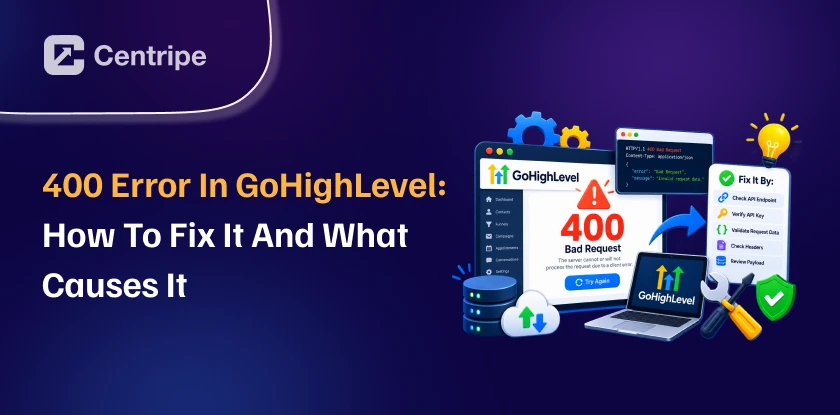
A 400 Error in GoHighLevel means the server is unable to process an invalid or incorrectly formatted request.
This may be caused by invalid data, missing fields, incorrect parameters, malformed requests, GoHighlevel API issues, webhooks, or integration errors.
This guide explains how to identify the cause of the 400 error in GoHighLevel and the steps to fix it.
What Does a 400 Error in GoHighLevel Mean?
A 400 Bad Request error in GoHighLevel indicates that the request sent to the platform contains something invalid or unacceptable.
The request might have missing, incorrectly formatted, or unexpected data. The problem is usually with the request or data being sent, a broken JSON payload, rather than GoHighLevel’s server.
Depending on the request, GoHighLevel may return an error message or response indicating what needs to be corrected. Unlike a 500 error, a 400 error generally indicates a problem with the request itself.
What Causes a 400 Error in GoHighLevel?
Invalid API endpoint:
This occurs when the request is sent to an incorrect, outdated, or unsupported GoHighLevel API endpoint.
Incorrect HTTP method:
The request can fail if the user has used GET, POST, PUT, or DELETE incorrectly for a specific endpoint.
Malformed JSON payload:
A malformed JSON payload can cause a 400 error when the request contains invalid JSON syntax, such as missing quotation marks, brackets, commas, or incorrectly formatted key-value pairs. So, when GHL cannot parse the JSON body, it may return a 400 error.
Expired access token:
An expired OAuth token prevents an API request from being accepted causing an OAuth connection error until the connection is refreshed.
Incorrect account, location, or resource ID:
The request fails when it references the wrong GoHighLevel location, sub-account, contact, or other resource ID.This also includes using incorrect custom field IDs when sending or updating contact data through the API.
Invalid request headers:
GoHighLevel can reject the request if there are missing or incorrect headers, such as Content-Type or authorization headers.
Invalid request body structure:
The JSON may be invalid, but its fields, nesting, data types, or values do not match the selected GHL endpoint.
Invalid enum or option value:
Some of the GoHighLevel fields accept only specific values. So, when a user sends an unsupported status, type, category, or option, it can trigger a 400 error.
Duplicate or conflicting request data:
A request may fail when it attempts to create or update any information that conflicts with existing data.
API version mismatch:
Using an older API structure, parameter, or documentation example with a newer GoHighLevel endpoint can cause compatibility problems.
Integration mapping problems:
An automation tool may map data from another application into GoHighLevel incorrectly, producing a request that the API cannot accept.
How to Fix a 400 Error in GoHighLevel?
| What to Check | What to Do |
|---|---|
| API endpoint & method | Confirm the endpoint is correct and uses the required GET, POST, PUT, or DELETE method. |
| JSON request body | Validate the JSON and check required fields, field names, data types, and values. |
| IDs & parameters | Verify location IDs, resource IDs, query parameters, and path parameters. |
| Authentication & headers | Check the access token and required headers such as Authorization and Content-Type. |
| Error response | Read the 400 response body to identify the specific field or request issue. |
| Minimal request | Remove optional fields and test with only required data, then add fields back to find the problem. |
Is GoHighLevel Down Right Now?
No, GoHighLevel may not be down when you see a 400 error. It means GHL got the request but could not process it.
GoHighLevel can also have full or partial outages. During a full Gohighlevel outage, you may not be able to log in, open accounts, view conversations, run workflows, use calendars, process payments, or send API requests.
A partial outage may affect only one feature while the rest of the platform works normally.
If GoHighLevel is experiencing an active outage, users may notice:
- Problems logging in or loading the platform
- Pages loading slowly or failing to load
- Workflows not triggering as expected.
- Conversations or other features becoming unavailable.
- API requests failing
- Multiple unrelated features showing errors at the same time
Conclusion:
A GoHighLevel outage affects the platform or a specific service, while a 400 error in GoHighLevel affects a specific request.
Checking the GoHighLevel status page helps determine whether there is a wider outage before troubleshooting the individual error. If the platform is operating normally, focus on the specific 400 error and the request that triggered it.
Frequently Asked Question