
What if one day your Instagram stops showing your posts??
Your Facebook ads get banned?
Your TikTok account just vanished?
Scary, right? But it happens more often than we’d like to believe.
That’s why having an understanding of email marketing is so important. When you build an email list, you have people who said, “Yes, I want to hear from you.” You don’t need to depend on apps or ads—you can message them directly at any time.
Your email list is like your own personal contact book. It’s safe, it’s yours, and it helps your business grow.
In this blog, we’ll show you 10 easy list building strategies, step by step.
What Is an Email List and Why It Matters
An email list is a group of email addresses from people who have agreed to receive your messages. These aren’t random contacts from the internet. They are people who said, “Yes, I want to hear from you.”
That difference is what makes email lists so powerful. Unlike social media followers, email subscribers are yours.
No algorithm decides whether they see your message. No platform can take them away overnight.
If Instagram changes its rules tomorrow, your followers might vanish. Your email list stays with you no matter what.
For businesses, the impact is measurable. Email marketing brings in $36 for every $1 spent, says DMA’s latest research, making it a core part of any email marketing strategy.
This makes it the marketing channel with the highest ROI. But that ROI only comes from having a quality list of engaged subscribers. It won’t work with a bought database of strangers who never asked to hear from you.
Building an email list takes effort. You gain subscribers by providing value, being clear in your emails, and sending helpful content often. There are no shortcuts.
Buying email lists hurts your sender reputation. It can land your messages in spam folders and break anti-spam laws in many countries. The only path that works is organic growth through trust.
This guide covers everything: 10 proven methods to grow your list, 5 advanced strategies for B2B teams, how to segment your subscribers for dramatically better results, and the common mistakes that silently kill list growth.
10 Steps to Build Your Email List
Step 1: Choose the Right Email Marketing Platform
You need the right tool first, before grabbing any email addresses. It lets you handle your list, send emails, and see how things go.
Don’t pick the priciest one with tons of extras. Get one that matches what you do now and can grow with you.
Look for these key things:
- A drag-and-drop builder with ready designs.
- Auto-send options like welcome emails or follow-up series.
- Ways to sort people into groups.
- Reports on opens, clicks, and those who quit.
- Tools to make sure emails reach inboxes, like SPF, DKIM, and DMARC checks.
Keep it easy at first. Lots of tools have free plans for small lists. Try Mailchimp, Brevo, or MailerLite to start for free.
When your list hits 2,000 to 5,000 people, switch to ones with stronger auto features.
For shops needing email, customer tracking, sales paths, and auto tasks all in one, tools make it easy. No more switching between many accounts.
The tool you pick shapes everything else. Your sign-up spots, auto emails, and reports all live there. Choose one like Centripe; it is simple to use. It keeps everything organized and is resourceful for small- to medium size businesses. The price is low, starts from just $99/month.
Step 2: Create Your First Signup Form
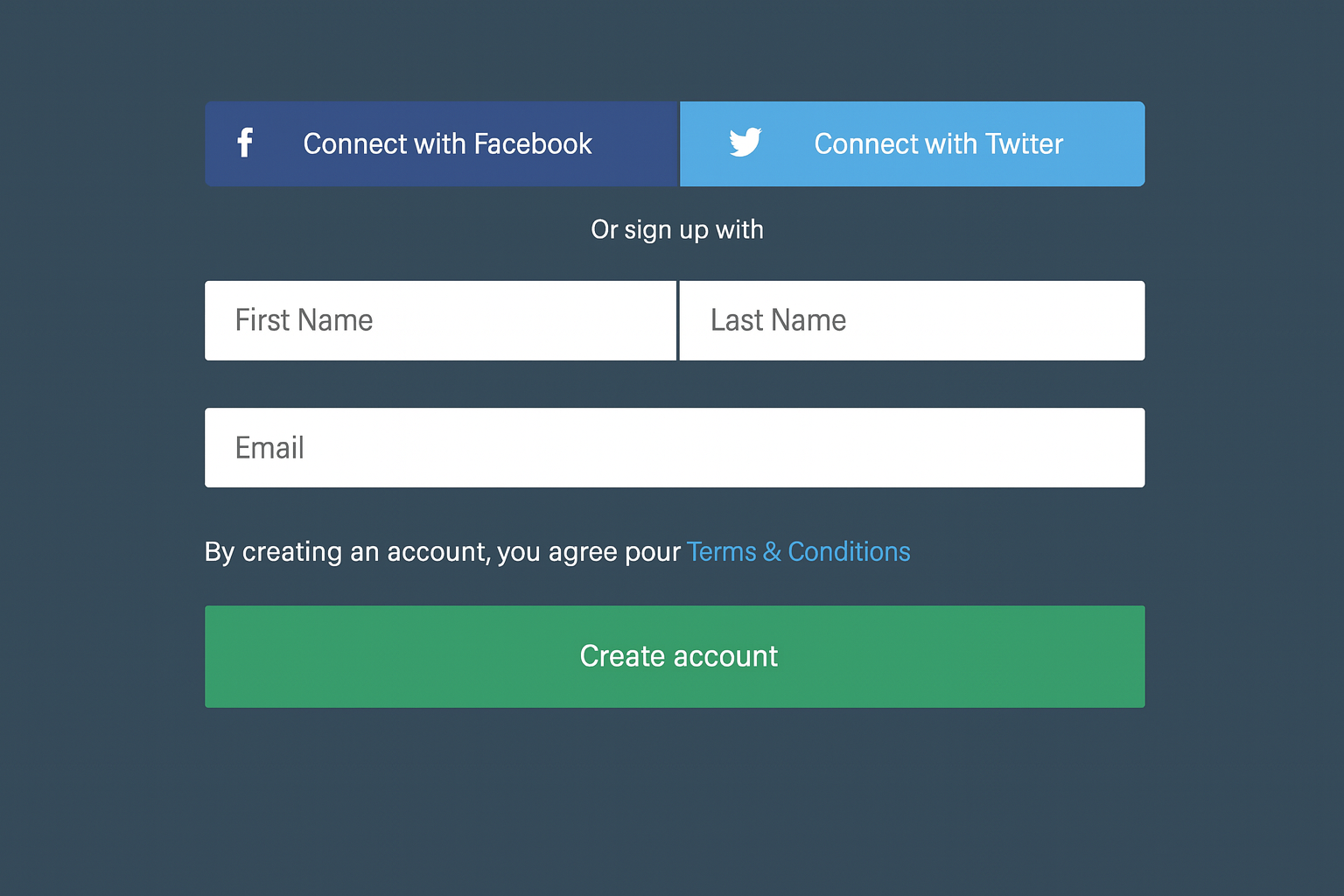
Your signup form is where the relationship begins. Many businesses also lose potential subscribers by asking for too much too quickly.
The golden rule: ask for less upfront. An email address is all you need to start. Every additional field, name, phone number, company, job title, it reduces your conversion rate.
Research shows that single-field forms, like asking for just an email, convert 20-30% better than multi-field forms.
You can always collect more information later. Use progressive profiling, surveys, or behaviour tracking.
Make your form visually clean and fast to scan. The visitor should understand in under 3 seconds what they’ll get by signing up and what they need to do. Just include a headline like “Get weekly marketing tips,” an email input field, and a clear button.
Build trust with small details. Include a brief privacy note (“We’ll never spam you” or a link to your privacy policy).
A small lock icon or security badge can help reduce worries when your industry handles sensitive data. Mobile responsiveness is a must.
Over 60% of web traffic comes from phones. So, test your form on mobile before you publish it.
Step 3: Write Button Text That Drives Action
The text on your signup button matters more than most people think. “Submit” is the worst-performing button text in email marketing. It’s generic, it’s cold, and it tells the visitor nothing about what happens next.
Replace it with action-oriented text that reinforces the value.
Instead of “Submit,” try “Send me the free guide,” “Get my discount code,” “Start learning,” or “Join 5,000+ marketers.”
The best button text completes the sentence “I want to…” from the visitor’s perspective.
Test different button text variations. Even small changes, “Get started” vs “Start my free trial”.
It can swing conversion rates by 10-20%. Most email platforms let you run simple A/B tests on your signup forms. Use them.
Color matters too. Your button should contrast with the surrounding page so it stands out visually.
A bright green or blue button on a white background catches the eye immediately. Don’t make visitors hunt for the signup action.
Step 4: Place Your Form Where People Actually See It
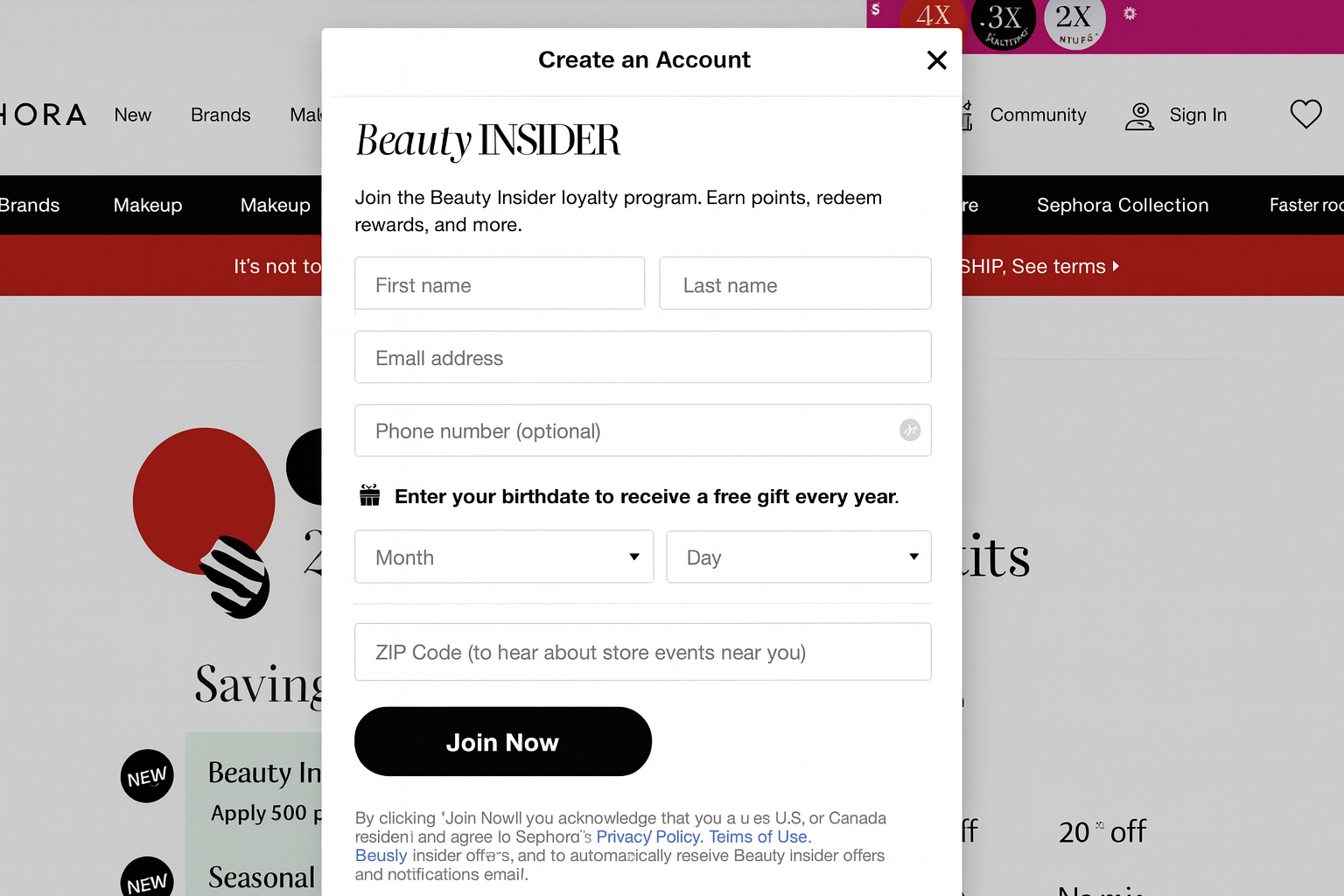
A great form won’t help if no one sees it. Smart spots can change a form from 5 sign-ups a month to 50.
Place your form in these clear spots:
- At the top of your homepage (no scrolling needed).
- After each blog post, readers are interested and ready to join.
- In your site’s side panel (always visible while browsing).
- In your top header or menu bar (a slim sign-up strip on every page).
- In the footer (catches those who scroll to the end).
It’s simple: show it more, get more sign-ups. Each spot catches people at a different time while they browse. One might skip the side form but click the one after a helpful article.
Use a few spots together to reach everyone. Don’t fret about seeming pushy. If each form looks tidy and fits well, extra spots won’t bother people.
They simply offer more ways to sign up when it’s right.
Step 5: Use Exit-Intent Pop-Ups
Most visitors leave websites without doing anything. Exit-intent pop-ups give you one last shot to grab them before they go.
These pop-ups pop up when someone’s mouse heads to the close button or back arrow.
A quick box pops up with a great deal.
- “Hold on. Get 10% off before you leave.”
- “Don’t miss our free weekly tips.”
- “Grab the guide now.”
Exit-intent pop-ups work great because the person was already leaving. They have zero to lose.
The pop-up doesn’t mess up their visit; it catches them at the exit. When done right, these can save 2-5% of folks who were about to quit.
Keep the pop-up easy: a short title, one line about the good stuff, an email spot, and a button.
Skip it for people who come back and have already signed up (most tools let you set rules for that). Always add a clear “No thanks” choice; making them hunt for the X button just annoys them, not signs them up.
Step 6: Build a Dedicated Landing Page
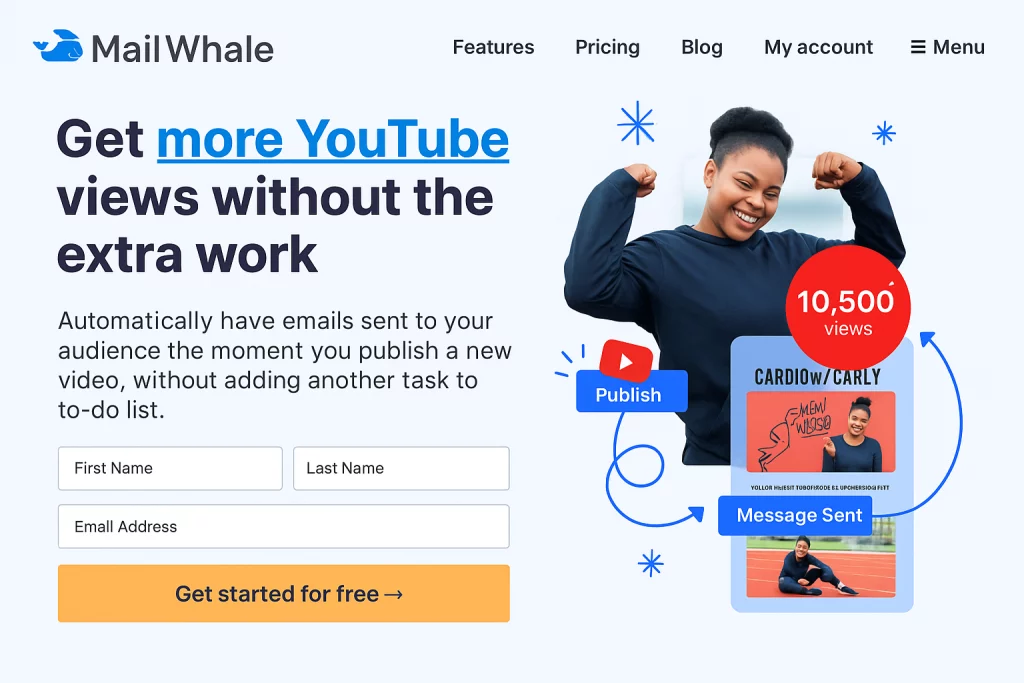
For ads, podcast shoutouts, or social posts, skip sending people to your homepage. Point them to a special landing page with one goal: snag their email.
This page cuts out all extras, no menus, no side stuff, no other links.
Just a big headline about the deal, a few quick bullets on what they get, some proof like subscriber numbers, happy quotes, or brand logos, and the sign-up form.
This sharp setup turns sign-ups 3-5 times better than a homepage form. No distractions pull people away.
When you say on a podcast, “go to centripe.ai/free-guide,” they hit a page that gives exactly what you promised.
Landing pages shine in searches, too. A well-optimized page can appear when someone searches for “free email marketing template.”
It can attract sign-ups from search traffic without any extra help. Add keywords to your headline and text.
Step 7: Promote Your List on Social Media
Your social media followers make a great group of possible email subscribers. They already like you and read your posts; they just need a push to join your list.
Share posts often about your email list and what people get from it. Show bits of your top email content with a line like “This came from last week’s email, sign up for the whole thing.”
People who like your social posts will want the extra details that emails bring.
Add your sign-up link to your bio on every site. Post a direct link to your sign-up or landing page on Instagram, LinkedIn, Twitter, and Facebook. This brings in new people all day, every day.
Try short social-only deals now and then. “Sign up for our email list this week and get our special template collection.”
Offers that end soon make people act fast. Run contests or giveaways where signing up enters participants. Choose prizes that your true audience values, not just those looking for free items.
Step 8: Launch a Referral Program
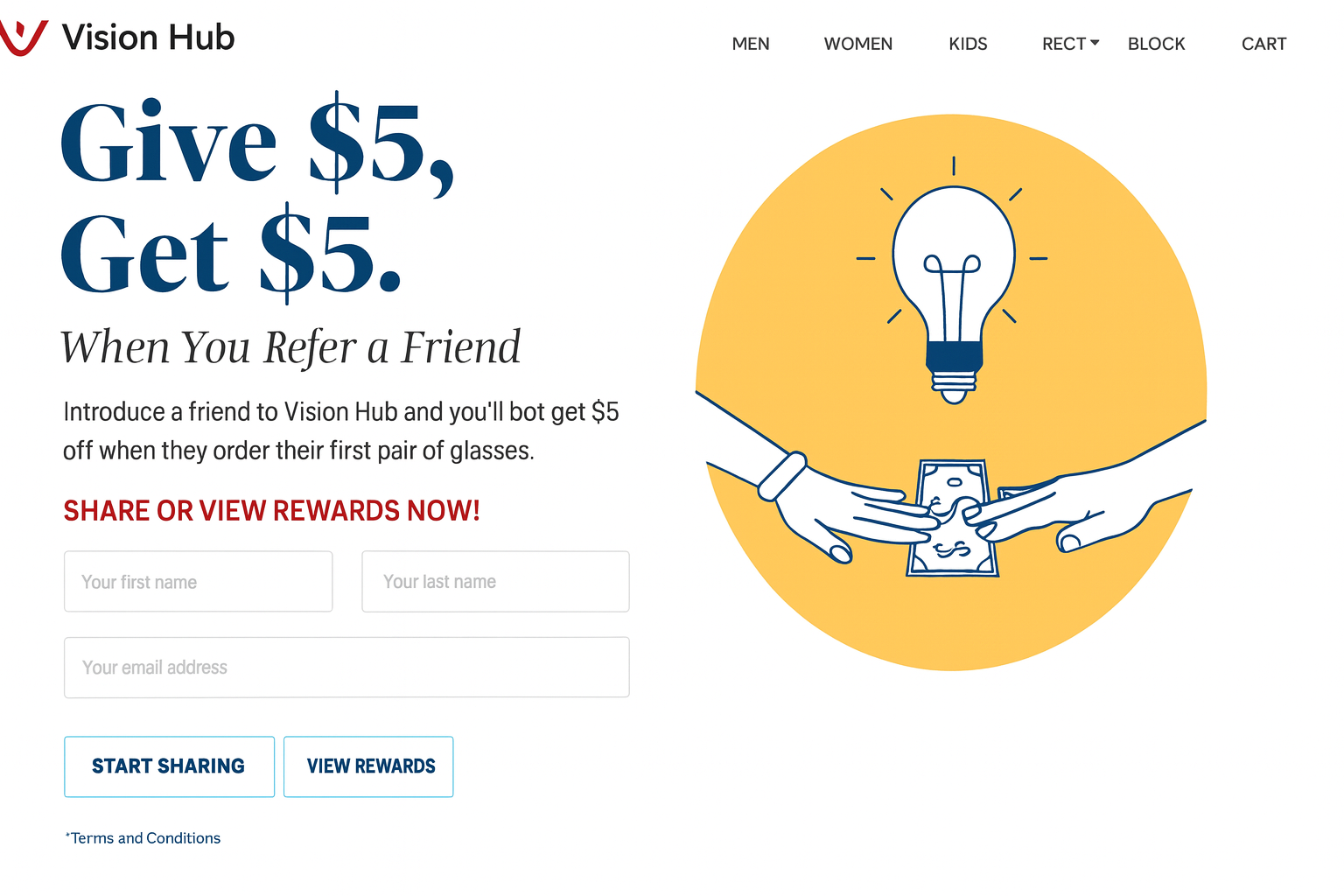
Your top fans are the best way to grow your list. A referral setup turns them into helpers who bring in new people the natural way.
The idea is easy: give each person on your list their own special link. Reward them when friends join using it.
Rewards are affordable. Special content, early access to new items, a free template, or a small discount all work well.
It works because people believe friends more than ads or pop-ups. When a friend says, “Join this newsletter, it’s great,” it means a lot more.
Morning Brew got millions of readers mostly this way, so it grows big lists too.
Keep it simple to use. Let people share their link with one click, and send rewards right away. If it takes work or checking by hand, fewer people join in.
Step 9: Use Chat and Conversational Signup
Website chat does more than just answer questions now. It grabs emails in a friendly, talk-like way that feels natural.
When someone hits your site, a chat box can jump in with help: “Hi! Need marketing tips? Give me your email, and I’ll send our top guide.”
It seems like a real chat, not just another form, warm and easy.
Chatbots ask a few quick questions first to sort people out before the email ask. “What’s your main marketing problem?” Then, “Got a guide for that, do you want it in your inbox?” This beats plain forms because it feels custom and fun for each person.
Time it right. Don’t start the chat the second they show up, wait 10-15 seconds or till they scroll a bit. Catch people who browse for real, not scare new arrivals.
Step 10: Use QR Codes for Offline Growth
Building your email list can go beyond the web. If you have physical locations, like a shop or event table, QR codes bridge the offline and online worlds.
Print a QR code that links directly to your sign-up page. Put it on your counter, receipts, handouts, product packs, show banners, or presentation slides.
People scan it with their phone camera and hit your sign-up page fast, no typing, no hunting, no hassle.
QR codes shine at events and trade shows where you chat with people in person. Skip grabbing business cards (which you forget to use).
Just point them to the QR code and get their email right then. The talk is fresh, the interest is real, and they sign up on the spot.
5 Advanced List Building Strategies for B2B Teams
Give People a Compelling Reason to Join
B2B people don’t join lists for “updates” or “newsletters.” They join for clear value that helps their work. Your free offer must feel truly helpful, something they’d pay for, but you give in trade for their email.
Top free offers that attract B2B sign-ups include:
- Reports with unique industry data (fresh numbers no one else has)
- Ready-to-use templates and plans (items they can use right away)
- Guides comparing tools (saves them hours of research)
- ROI calculators (tools that provide custom results)
- Spots in special online talks (live lessons with Q&A)
Tie the free offer tight to what you sell. A customer-tracking company giving a “sales path template” draws the perfect crowd. The same company giving a “free coffee card” pulls in everyone, most who won’t buy.
Make Signup Interactive and Engaging
Plain forms get the job done, but fun activities pull in more sign-ups, which is crucial for lead generation.
Quizzes, tests, and calculators make joining feel like a fair trade, not just handing over info.
Take this example: “What’s your email marketing score?” A short 5-question quiz that ends with custom results and a full report sent to their email.
They get real advice. You get their email plus info on what they need and struggle with.
Fun content spreads too. People post their quiz scores on social media, bringing new visitors to try it. Each share acts as free ads that grow your list with no extra cost.
Create High-Converting Signup Landing Pages
For B2B sales, landing pages need more than just an “enter your email” form. Business buyers doubt things and guard their inbox, so your page needs to build trust fast.
Here’s how you do it:
- Show clear proof of participation: how many people have joined.
- Include quotes from well-known companies.
- Offer a sneak peek at the actual content.
- Provide straightforward details on frequency and topics covered.
“Join 12,000 marketing pros for our weekly competitor report” always outperforms “Subscribe to our newsletter.”
Cut all navigation from the page. Any link that isn’t the sign-up button lets them leave. They get just two choices: join or go. Nothing more.
Run Strategic Contests and Giveaways
Contests can bring a big rush of new subscribers, but set them up right to get good leads, not just prize chasers.
The prize has to match your real audience. An iPad pulls in everyone. A year of your software, a top industry report, or a private consult draws in true buyers. This keeps the new subscribers who care about what you offer.
Make email sign-up the way to enter, and give extra entries for sharing with coworkers.
This turns each person into a helper who spreads the word. Pick a short time frame (2-3 weeks does well) and push it hard on all your channels.
Leverage Personal Outreach
Sometimes the best way to grow your list is the straightest path. A personal note works better than an automated form for key B2B contacts, such as company leaders and important partners.
Send a short, custom message that explains your email content and why it fits them.
Mention something they wrote or said to prove you checked them out. “I caught your talk at SaaStr about agency growth. Our weekly report covers those topics with unique data you won’t find elsewhere.”
This won’t work for thousands, but it adds the perfect people. Ten big decision-makers beat a thousand random names any day.
How to Segment Your Email List for Better Results
Growing your list is just the start. Grouping subscribers into smart sets turns a solid email setup into a top one, especially when combined with email personalization.
The numbers prove it. Emails sent to grouped lists see 14% more opens, 100% more clicks, and up to 760% higher sales than those sent to everyone.
These gains aren’t small. Grouping stands as the top way to boost email results after you build the list.
The 4 Pillars of Email Segmentation
Every effective email list segmentation is build on four foundational dimensions. You don’t need all four immediately, but understanding them helps you plan where to start and where to grow.
1. Demographic Grouping
Sorts people by basic facts, age, gender, job role, company size, industry, place they live, or how much they earn.
This info comes easy (think job title and company on forms, super common in B2B). It helps right away. A marketing lead shouldn’t get the same email as a money boss, even from one company.
2. Behavior Grouping
Sorts people by their actions. This includes the sites they visit, the emails they open, the links they click, the items they buy, the carts they abandon, and the downloads they make.
This beats all others because what they do predicts what comes next.
Someone who hit your prices page three times this week wants to buy way more than a one-time email reader.
3. Mindset Grouping
Sorts people by what matters to them, beliefs, likes, aims, problems, or tastes. Get this from polls, quiz answers, or what content they pick.
A person who loves automation tips differs from one who enjoys data reports, even if both hold the title “marketing manager.””
4. Location Grouping
Sorts people by their spot, country, area, city, or time zone. Use it for smart send times by clock, local deals, nearby event ads, or rules like GDPR for Europe folks.
10 Segmentation Strategies That Actually Work
1. Welcome Emails for New People
New joiners in the last 7-14 days get special welcome emails, not your usual ones. These show your brand, explain what to expect, share top content, and give a gentle first deal. New people check emails most, use that chance.
2. Special Care for Top Buyers
People who buy a lot or spend big get extras like early new stuff, special deals, loyalty gifts, or inside info. Treat your best buyers well to keep them longer and cut drop-offs.
3. Bring-Back Emails for Quiet Ones
People who skip opens or clicks for 60-90 days get a wake-up series: “We miss you, see what’s new,” then “Still helpful?” and last “Tell us or we’ll remove you.” This wins some back and cleans your list for better delivery.
4. Action-Based Emails
When someone checks your prices, grabs a guide, or watches a video, they receive a follow-up email immediately. These fit them perfect with no extra work from you.
5. Place and Season Deals
Send winter gear to cold-area people, local events to city dwellers, and timed offers by their clock. This makes emails feel made just for them, not sent to crowds.
6. Buy History Suggestions
Offer items based on past buys. Running shoe buyer gets running add-ons, not tennis stuff. Amazon grew huge on this, and it works for any size.
7. Job or Company Fit
In B2B, marketing heads need different info than IT folks, even same company. Match messages to their needs and problems to boost reads and buys.
8. Phone vs Computer Tweaks
If data shows phone openers, send short, picture-heavy emails with big taps. Computer users get longer details. Fit the style to their screen for better reads.
9. Topic Likes
Watch what each person clicks most. AI fans get AI tips. Automation lovers get those. Let their picks shape what you send.
10. Birthday and Join-Date Emails
If you have birthdays, auto-send special deal emails. They get opened 3-4 times more than normal ones. A tiny touch builds real bonds.
Common Segmentation Mistakes to Avoid
Don’t jump in too deep. Skip 20 groups right away. Begin with 3-4 key ones (new joiners, top buyers, quiet contacts) and add more as you see what works.
Don’t make groups too tiny. A set of 15 people won’t help for emails. Shoot for 200-500 or more so you get real results and good tests.
Don’t let groups sit stale. Someone “quiet” months back might check stuff now. Keep groups fresh, they update on their own as people change, not old lists you made once and ignored.
Don’t over-split till it’s a mess. If handling groups takes longer than making emails, stop. Grouping should make your work easier, not harder. If unsure, blend close groups.
Common Email List Building Mistakes (and How to Fix Them)
Don’t chase big numbers over quality. A list of 10,000 quiet subscribers does more harm than good.
High bounces, low opens, and spam reports hurt your sender score. Instead, focus on 1,000 engaged people who open, click, and buy. They outperform 10,000 silent names every time.
Don’t ignore phone users. Over 60% read email on their phones. If your sign-up forms, landing pages, or emails fail on mobile, you lose many chances. Always test everything on phones first.
Don’t ask for too much upfront. Forms with five or more fields scare people away. Start by collecting just the email.
You can gather extra info later with step-by-step questions or choice pages. Each added field reduces sign-ups.
Don’t overlook email delivery setup. Without SPF, DKIM, or DMARC, your emails may land in spam. This tech fix takes just 30 minutes but improves every email forever. So, do it.
Don’t skip list cleaning. Emails can become inactive over time due to job changes or lost interest.
Quickly remove hard bounces. Send wake-up emails every few months to quiet subscribers, then drop no-replies. A clean list boosts delivery for those who stay.
Don’t forget to refresh auto emails. Welcome series, follow-ups, and triggers need occasional updates. If readers in 2026 see “2024 trends,” it feels outdated. Check and fix auto sends at least every three months.
Conclusion
Building an email list isn’t hard, but it does take the right steps.
Start with a best email marketing platform, create a simple sign-up form, and place it where people can see it. Offer something valuable in return, like tips, discounts, or free guides.Contact more people with the help of such tools as pop-ups, chat, QR codes and even social media.
Above all, be sure to attract real and interested people and not large numbers. A short active list is more viable than a big list, which does nothing.
Email gives you full control to talk to your audience directly. So build it smart, and build it strong.
Frequently Asked Questions
