

The average daily time spent on social media globally is 141 minutes. This shows a window of opportunity for brands to showcase their products in a creative way.
But will everyone show interest in it? You need to have a social media content strategy to achieve success in business. Brands should focus on tailored content for different audience segments.
Fast-growing companies generate 40% more revenue from personalization than slower-growing competitors.
So, your team need to understand your audience, work on content that finds relevance. For your brand to stand out, creating a content strategy is mandatory.
What is Social Media Content Strategy?
To put it simply, it is what you have to do to achieve business goals. To align the content with the audience, use a content calendar to post at the perfect time.
Here’s what is included:
- Understanding the audience
- Tailored Content planning
- Selecting the right platforms
- Creating engaging social media content
- Scheduling
- Posting frequency
Every post, reel, and long video should be aligned. If they are not engaging, your efforts go in vain. When you plan properly, execution is just formality. I will tell you how to make it impactful.
How To Create A Social Media Content Strategy?
1. Conduct a Social Media Audit
First, know where your brand stands online. Review all the activity on each social media account linked to your brand.
Next, check for consistency in profile information. Bios, profile images, cover photos, contact details, and branding must match on all platforms.
Then, do social media analytics. Check on follower count, engagement rate and posting frequency of the past six months.
Brands that do careful audits often discover that user-generated photos get 5x more engagement than branded posts.
This helps identify ways to improve strategy. One company switched from Twitter to LinkedIn. They found better engagement and stronger leads on LinkedIn.
2. Perform Competitive Intelligence Analysis
It’s better to know what the competitors are doing.
To enhance your content, track competitor activities for insights. Use tools like Buzzsumo to see how often they post.
Pay attention to content themes, formats, engagement quality, follower count, and more.
Gather data on their best-performing content, like reels and live sessions. Also, check comment sentiments to understand the audience’s pain points.
For example, if competitors aren’t addressing certain customer objections in their posts, you can fill that void with targeted content.
This social media content strategy also involves tracking paid versus organic social spend, which gives you an idea on where the competitors are investing more.
3. Build Detailed Audience Personas
To personalize the social media content, your team needs to create a detailed personality of the audience.
Check their age, gender, and interests to target the group better. Then move to their pain points.
Next, gather data from surveys, social media analytics, Google Analytics, and customer feedback.
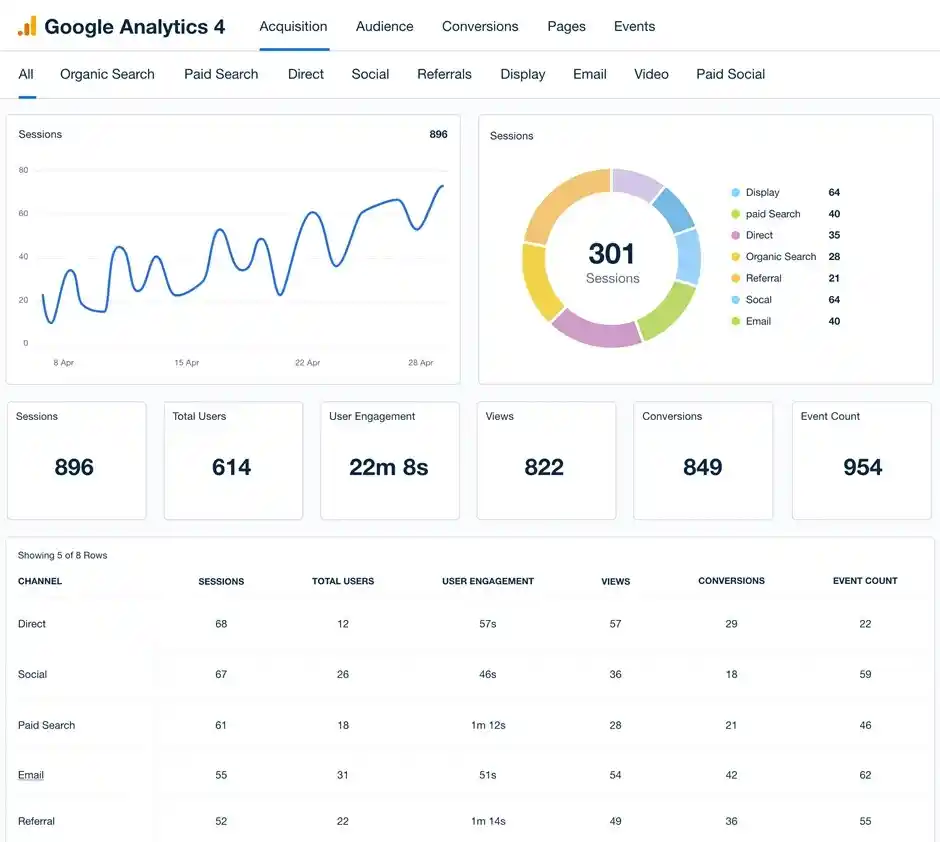
Use tools like Centripe to automatically generate social media personas based on preferences across different platforms.
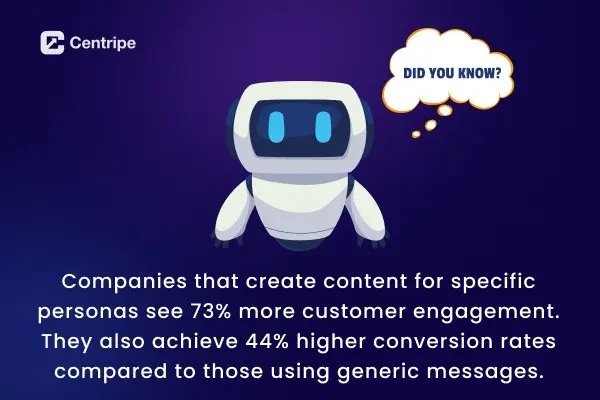
A key customer spends 60% of their online time on TikTok, not Facebook. This insight helps a brand focus on short, playful videos instead of long posts.
This targeting improves engagement and conversion rates significantly.
4. Establish Your Content Pillars
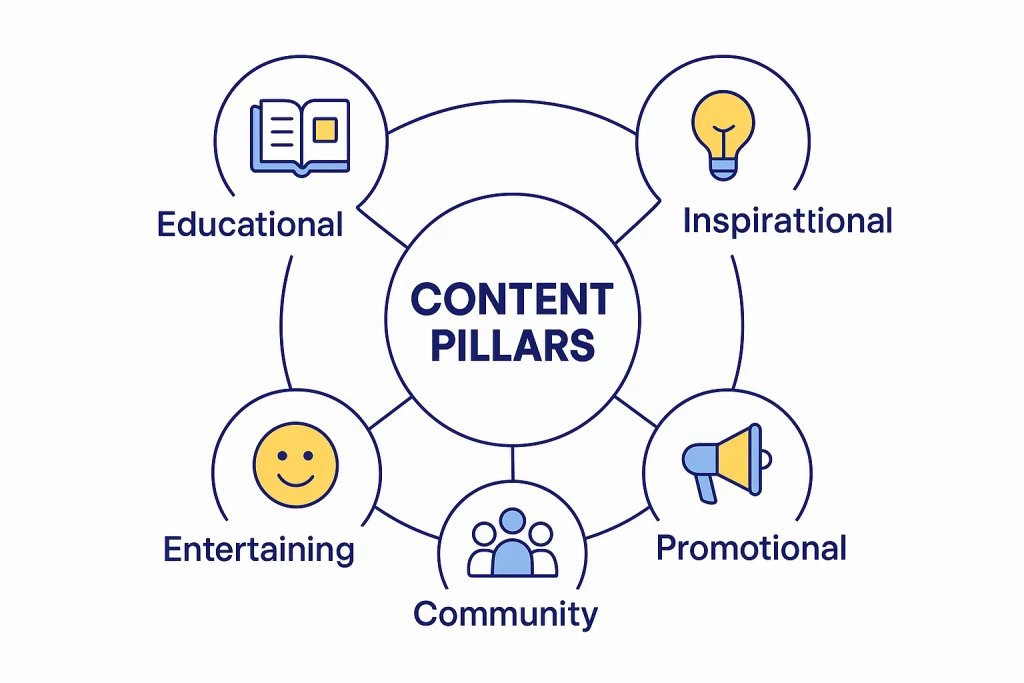
These guide your social media strategy. Organize the post and fit the business goals, aligning with audience interests.
Why Content Pillars Matter?
- They ensure your content remains consistent and relevant across platforms.
- Help maintain a balanced mix of content types.
- Make content creation more efficient by giving clear themes to work within.
- Boost brand recognition and trust by consistently linking your brand to key topics.
Common Content Pillar Categories:
1. Educational:
Share tips, show them how to, and perform tutorials. This will help them, and next time they want to gain knowledge about the specific product, they will visit your website.
2. Inspirational:
Post success stories to boost their confidence in your brand. For more reliability, post real customer testimonials. This helps a lot in building trust and vouching for your brand.
3. Promotional:
Announce product launches, special offers, sales, and important company news.
4. Community:
Feature content from your followers, run Q&As, create polls, and show behind-the-scenes moments.
5. Entertaining:
Share memes, fun facts, challenges, and lighthearted content related to your brand.
Real Brand Examples:
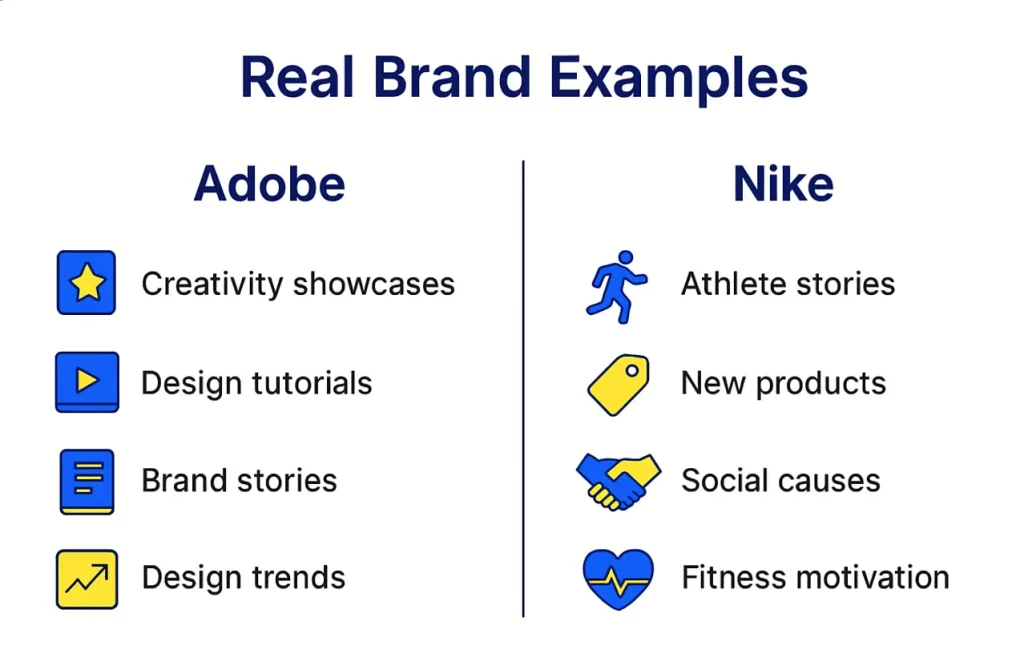
- Adobe: Posts user creativity showcases, design tutorials, brand stories, and design industry trends.
- Nike: Shares athlete stories, new product features, social causes they support, and fitness motivation.
5. Develop a Platform-Specific Approach
The purpose of every social media is specified. You must know the differences between them. Each post should fit the platform’s style.
This will lead to better engagement, expand the reach, and influence the results.
These factors affect how users discover and engage with your posts.
Why Platform-Specific Content Matters?
What works on TikTok may not work on LinkedIn. Customising content for each platform makes it feel more relevant. This leads to better engagement.
Platforms share content that fits their style, so your reach grows when you follow their format.
Airbnb uses Facebook groups to create host communities. This fosters interaction and collects user feedback. On Instagram, they highlight travel experiences with stunning photos and Reels.
Econsultancy found that 67% of marketers who tailor content for each platform see better ROI.
6. Design a Content Calendar System
A content calendar is a strategic and detailed plan that sets upcoming social media posts by publishing data, content type, and theme. This calls for consistency and marketing goals.
It helps coordinate campaigns, seasonal events, and product launches. The collaboration among content creators, marketers, and stakeholders is promoted.
Teams that use content calendars save up to 6 hours each week on planning. They also see more consistent engagement.
Also, calendars aligned with marketing goals can boost campaign success rates by up to 37%.
7. Establish Your Brand Voice and Visual Identity
Brand voice shapes your online personality and style. It’s memorable and fosters loyalty.
Brands communicate their message through content. Their visual identity includes colours, fonts, images, and design elements.
This builds trust and creates a lasting presence. Your brand will shine in busy social feeds.
Brand Voice Examples:
- Fenty Beauty: Bold, direct, and authentic. It mirrors Rihanna’s style and connects with young audiences using a casual tone.
- Liquid Death: Edgy, daring, and irreverent, it stands out from traditional bottled water brands.
8. A/B Testing in Social Media
It compares two versions of content to let you know which one performs better in the real world.
Change one element, be it any headline image or call to action. Keep the rest of the content the same. Then, measure which version meets your goal.
Example 1:
There is a clothing brand to test two Instagram ads. One with a product photo and the other with a lifestyle image.
The latter one gets 35% more clicks. This indicates that the audience likes relatable aspirational content more than simple product shots.
Example 2:
A software company tests two LinkedIn post times—9 AM versus 2 PM—with identical content.
The 2 PM post gets 50% more engagement. This helps them improve their posting schedule for better reach.
Strategy For Social Media Platforms
1. Instagram
This app prioritizes visual storytelling through photos, videos, and stories. Mix feed posts, Reels, and stories to keep the followers engaged.
Use hashtags to expand reach and run Instagram shopping for seamless product discovery.
For this platform, share behind-the-scenes content, user-generated posts, and influencer collaborations.
Engage actively through polls, quizzes, and question stickers in Stories.
2. Facebook Strategy
For ads, Facebook still remains prominent. It helps in building community, especially for B2C brands.
Use Facebook Live for interactions and to demonstrate your products. Even the CEO of Facebook does that.
This keeps the audience engaged. With images, videos, and events, combine organic posts with targeted Facebook Ads.
The algorithm favors meaningful interactions, hence focuses on encouraging user generated content.
3. TikTok Strategy
The craze of TikTok is insane, especially in Gen Z.The content types are fun videos, short and genuine.
For this platform, push creativity and storytelling over polished promotional content.
Collaborate with the influencers. This is more beneficial and increases your credibility.
Keep on engaging with followers via comments and duets to build up a community. The algorithm rewards engagement, so be visible to the audience.
4. LinkedIn Strategy
LinkedIn is the top platform for B2B marketing, professional networking, and thought leadership.
In 2025, video content on LinkedIn jumped by 34%. It also produced 1.4 times more engagement than other types of content.
Post thought leadership articles, industry insights, and how-to guides to establish expertise. Use short videos, under 2 minutes. Make sure they have strong captions and a vertical format for mobile viewers.
Why should you have a social media content strategy?
It helps you sell to the right person. It works as a salesperson who convinces the buyer to take an interest in the product.
People start to remember you and trust your brand more. You can create content that really fits what your audience likes and needs. It gives your business a clear direction and purpose for online presence. You don’t dwell on things that are meaningless; instead, you build a recognizable brand.
A content strategy saves time and resources. You avoid last-minute searching for post ideas and can even batch-create content.
You can see which posts get more likes, shares, or comments. Then, you can make better choices to improve your results over time. This helps you save money and grow your business effectively.
No Spam. No calls. Unsubscribe anytime.
How Centripe’s AI is Changing Social Media Content Strategy
AI is speeding up social media content creation. It creates captions, hashtags, images, and videos that match your brand and trends. This saves you a lot of time.
Apps like TikTok and Instagram use AI to show users posts they’ll enjoy.
This leads to more engagement with your content. Brands can also find the best times to post and discover trending topics.
AI chatbots answer customer questions around the clock. This lets your team focus on creative tasks. Meanwhile, AI handles repetitive work and strengthens connections with followers.
Conclusion:
When you are aligning the content with trends and brand norms, you are already doing it better. Most of the brands don’t understand that it’s about how the customers feel when they interact with you.
I will suggest using AI, because it keeps the conversation flow based on the customer’s behavior. They will always feel welcome. Include AI in your social media content strategy and watch it do wonders.
Use every social media platform for better visibility. The conversion rates depend on how consistent and creative you are.